
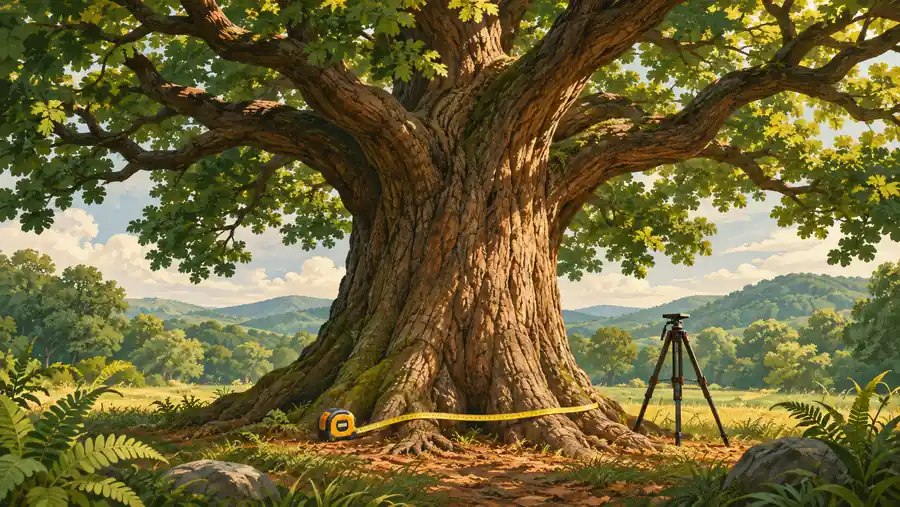
Original editorial illustration for Measure a Tree Before Estimating Its Height, Age or Value
Keep the raw measurements
A circumference, an angle, a distance and a model factor are different kinds of input. Preserve the original observations before converting them. A later reader should be able to identify the measurement height, reference point and units rather than seeing only a derived diameter or age. A more precise display cannot repair an ambiguous field record.
Distinguish geometry from biological inference
Circumference-to-diameter and angle-to-height calculations are geometric models with explicit assumptions. A diameter-based age estimate adds a growth-factor assumption. A value scenario adds economic factors. Carrying a geometric result forward does not automatically validate those later assumptions or establish an individual tree’s history or market value.
Use a method that fits the tree and purpose
An irregular stem, a leaning tree or a poorly identified top can require a different measurement approach. A formal appraisal or a legally important age question also needs more than a generic online calculation. The examples below are worked scenarios for reading units and assumptions, not instructions to damage a tree, enter unsafe terrain or treat an estimate as a certified finding.
Start in Biology calculators for the field and measurement tools. This workflow also distinguishes questions handled in Conversion calculators. Follow the quantity and its definition rather than assuming that a shared unit makes different models interchangeable.
Worked case 1: Tree Diameter Calculator
A tape circumference can be converted into a circular-equivalent diameter by division by pi. The word equivalent matters: an irregular cross-section does not become circular. Keep the measuring height and any unusual stem form in the record.
Calculate this scenario with Tree Diameter Calculator using the following stated inputs.
| Input definition | Illustrative value |
|---|---|
| Circumference at the recorded measurement height (cm) | 100 |
| Calculated quantity | Result | Unit |
|---|---|---|
| Circular-equivalent diameter | 31.831 | cm |
This conversion does not choose a diameter-measurement standard or resolve a multi-stem tree. Follow an appropriate field method for the intended purpose, and compare later measurements only when their height and convention are compatible.
The Forestry measurement methods describes tree-measurement concepts. Keep its method and intended purpose with the original field observations.
Worked case 2: Tree Height Calculator
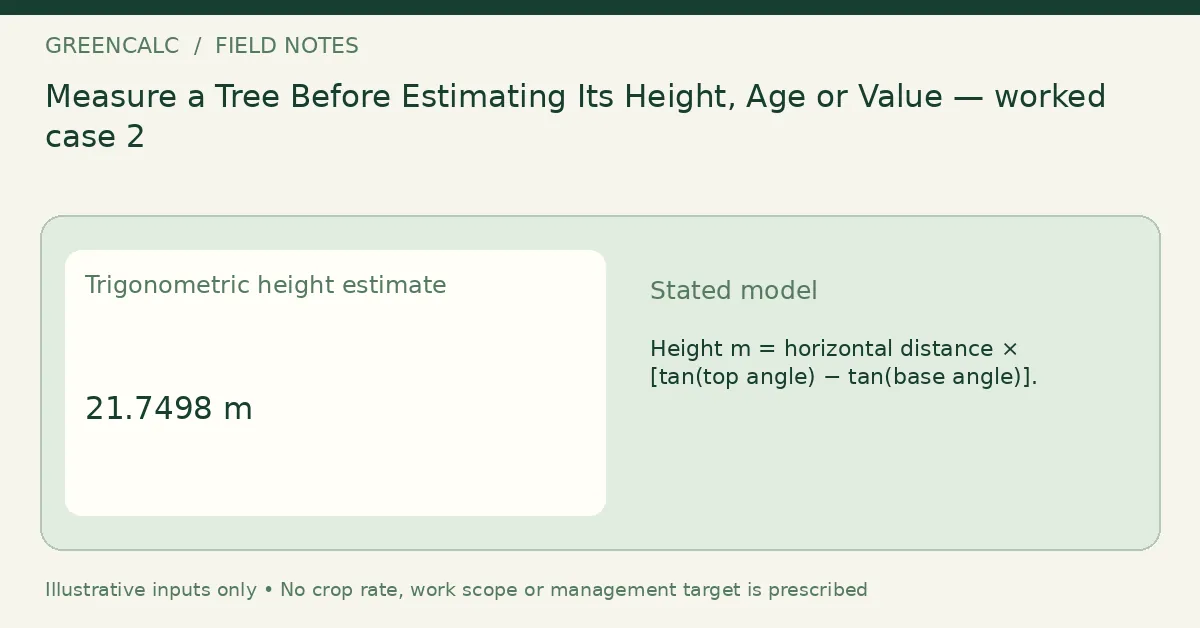
The trigonometric example uses one observation position, a horizontal distance and signed angles to the base and identified top. A below-horizontal base angle is negative. A ground distance along a slope is not automatically the horizontal distance required by this equation.
Calculate this scenario with Tree Height Calculator using the following stated inputs.
| Input definition | Illustrative value |
|---|---|
| Horizontal distance to the tree reference line (m) | 20 |
| Signed angle to the identified top (degrees) | 45 |
| Signed angle to the base (degrees) | -5 |
| Calculated quantity | Result | Unit |
|---|---|---|
| Trigonometric height estimate | 21.7498 | m |
The result inherits the geometry and sighting choices. A wrong top, a leaning stem or observations taken from different positions can invalidate a simple model. The calculator cannot identify those field conditions from a plausible-looking height.
Worked case 3: Tree Age Calculator
The age scenario adds a supplied years-per-inch growth factor to a measured diameter. That factor is not chosen or verified by the calculator. The result is therefore conditional on an external growth model rather than a documented planting date or a count of rings.
Calculate this scenario with Tree Age Calculator using the following stated inputs.
| Input definition | Illustrative value |
|---|---|
| Recorded trunk diameter (cm) | 30 |
| Externally justified growth factor (years per inch diameter) | 4 |
| Calculated quantity | Result | Unit |
|---|---|---|
| Growth-factor age estimate | 47.2441 | years |
Species, site and history can affect the relevance of the factor. A tidy estimated age should not replace a known record or establish a legal or conservation conclusion. Use appropriate professional evidence where the age has consequences beyond a rough comparison.
Worked case 4: Basal Area Calculator
A set of trunk diameters can be converted into a sum of cross-sectional areas, then expanded by the represented plot area. The square-meter total and the square-meters-per-hectare result are different quantities. Keep both with the sample definition.
Calculate this scenario with Basal Area Calculator using the following stated inputs.
| Input definition | Illustrative value |
|---|---|
| Recorded trunk diameters (cm), separated by commas | 20,30,40 |
| Represented plot area (m²) | 1000 |
| Calculated quantity | Result | Unit |
|---|---|---|
| Sum of measured trunk basal areas | 0.227765 | m² |
| Plot-scaled basal area | 2.27765 | m²/ha |
Basal area is not crown cover, biomass or timber volume. It does not alone establish a stand-management decision. Sample selection and consistent measurement rules matter before a plot expansion can represent a larger area.
The Consistent stand and tree measurement explains why stand and tree measurements need consistent definitions. A plot expansion does not remove a sampling limitation.
Worked case 5: Tree Value Calculator
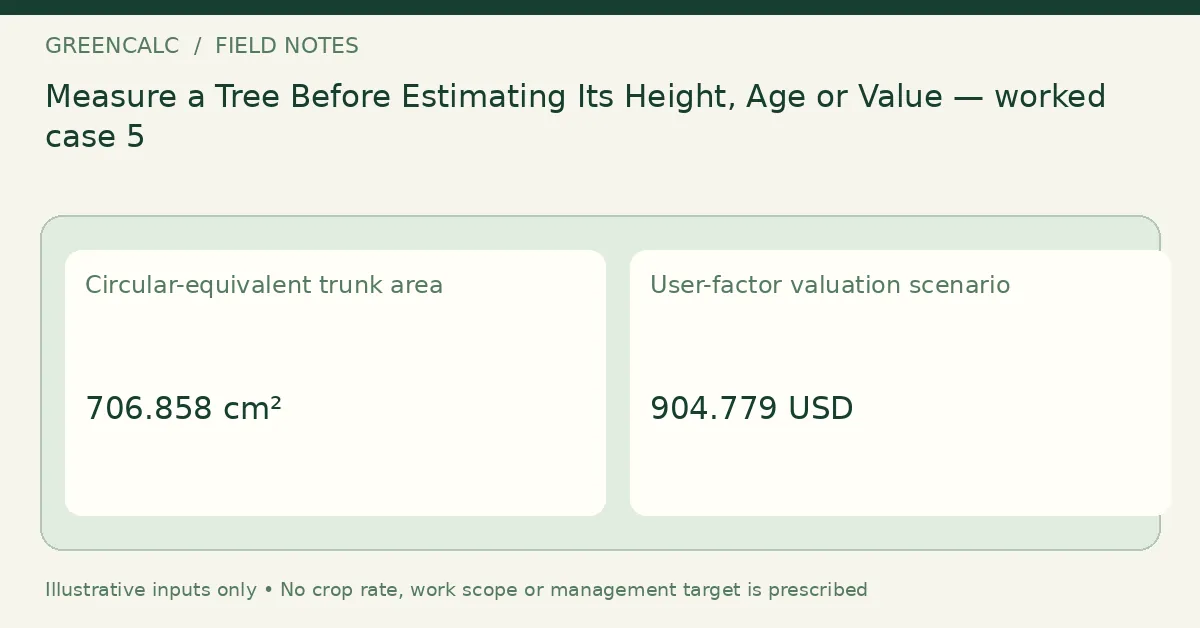
A unit-cost scenario takes a circular-equivalent trunk area and applies externally chosen cost and factors. The geometric calculation is reproducible, but it does not establish that the economic inputs are appropriate for a particular valuation purpose.
Calculate this scenario with Tree Value Calculator using the following stated inputs.
| Input definition | Illustrative value |
|---|---|
| Recorded circular-equivalent trunk diameter (cm) | 30 |
| Externally justified base cost per cm² trunk area | 2 |
| User-selected species factor (%) | 100 |
| User-selected condition factor (%) | 80 |
| User-selected location factor (%) | 80 |
| Currency label (no exchange-rate conversion) | USD |
| Calculated quantity | Result | Unit |
|---|---|---|
| Circular-equivalent trunk area | 706.858 | cm² |
| User-factor valuation scenario | 904.779 | USD |
A timber sale price, replacement budget and certified appraisal are not interchangeable. Keep the purpose and source of each factor explicit. The result should not be presented as an insurance, tax or legal value without the corresponding qualified assessment.
Worked case 6: Tree Leaves Calculator
A crown projection and an entered one-sided leaf area index can support a conditional leaf-area estimate. Dividing by a mean leaf area then estimates a count. Neither the index nor the mean is measured by the calculator.
Calculate this scenario with Tree Leaves Calculator using the following stated inputs.
| Input definition | Illustrative value |
|---|---|
| Projected crown radius (m) | 3 |
| One-sided leaf area index on that crown-area basis | 3 |
| Measured / assumed mean one-sided leaf area (cm²) | 50 |
| Calculated quantity | Result | Unit |
|---|---|---|
| Modeled one-sided leaf area | 84.823 | m² |
| Estimated leaf count | 16964.6 | leaves |
The season and reference-area definition belong with those inputs. A larger modeled leaf count does not establish carbon storage or tree health. Keep this scenario separate from a direct canopy census or a different index measured over an entire stand.
Notice how different formulas transmit measurement changes
A small proportional change in circumference produces the same proportional change in its circular-equivalent diameter, because the conversion divides by a constant. Basal area responds differently: it uses the square of diameter. If a diameter scenario increases by five percent while other assumptions stay fixed, its calculated cross-sectional area increases by ten-point-two-five percent, not five percent.
A fixed-growth-factor age scenario is linear in diameter, while the illustrative area-based value scenario inherits the squared-diameter relationship before the other factors are applied. These mathematical differences are one reason not to treat all derived tree numbers as having the same precision. They do not establish the actual measurement error or a probability distribution for it.
Keep the instrument resolution, measurement method and field notes with the raw observations. Repeating a measurement can reveal a recording or sighting issue, but averaging incompatible landmarks does not repair the definition. Do not keep changing an angle or factor until several models tell a preferred story. Where the result matters for safety, appraisal, conservation or a documented age, obtain the appropriate method and qualified assessment rather than reading apparent agreement between calculations as independent confirmation. A field photograph can help document a landmark or an unusual stem, but it does not supply a missing angle, scale or measurement datum. Keep it as supporting context alongside the actual observations rather than treating it as a replacement for the required inputs.
Check the record before using it elsewhere
Use the following questions to audit this particular workflow. An unanswered question is an input or interpretation issue; it should not be hidden by rounding the output or choosing a result that resembles the expected answer.
- Where was circumference or diameter measured?
- Are dimensions and angle signs documented?
- Is the baseline horizontal rather than merely measured along the ground?
- Was the top correctly identified from the observation point?
- What source supplied the age factor?
- Does a plot result retain its represented area?
- What purpose and evidence support a valuation scenario?
- Which inference goes beyond the actual measurements?
Retain a revisable measurement sheet
Keep the original observations, the date and the input definitions alongside the calculated result. When a plan changes, record the new scenario separately instead of replacing the evidence behind an earlier estimate. A measured change, a revised assumption and a unit conversion are different events in the record.
Use Tree Height Calculator for the main quantity in this workflow. For other subjects, return to GreenCalc; for a related calculation, begin with its own units, basis and limitations rather than transferring a result by name alone.
By GreenCalc · Updated 2026-11-06