
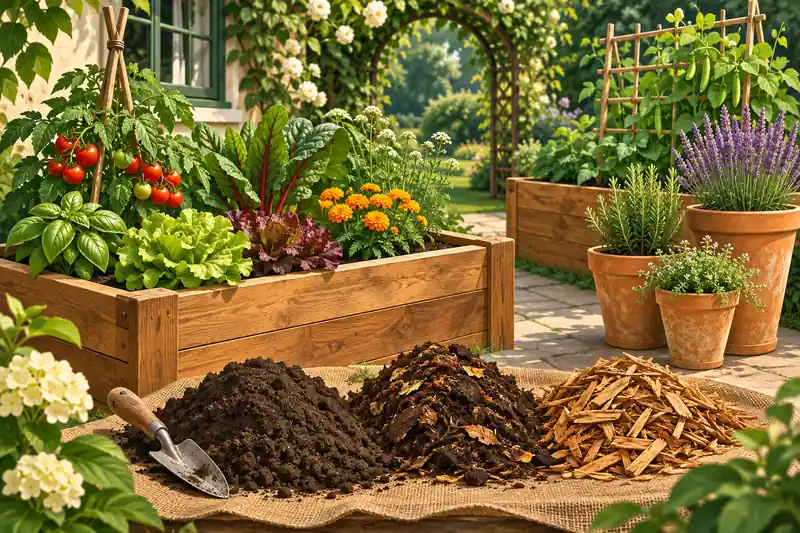
Original editorial illustration for Raised Beds and Containers: Separate Soil, Compost and Mulch Quantities
Begin with the material and the empty space
A bed, a tapered pot and a surface layer can all be described with volume, but they are different geometric questions. An existing fill level changes a top-up calculation, taper changes a container calculation, and a chosen layer depth changes an application-volume calculation. Write down which space or layer is being estimated before asking how many bags to buy.
Do not turn a cubic measurement into a universal mass
A liter or cubic yard describes volume. Its mass depends on the actual product and condition. Moisture, composition and packing can change the relationship. Use a relevant density measurement if a weight is needed, and retain the distinction between delivered loose material and a later settled layer. A volume conversion alone cannot determine a blend or an agronomic application depth.
Keep procurement adjustments visible
A planning allowance and rounding to whole bags are separate operations. The first changes the quantity under the chosen scenario; the second changes the purchasable unit count. Supplier coverage figures also depend on the product and intended use. Keeping these adjustments explicit helps avoid adding a second unexplained margin after an order has already been rounded up.
Start in Biology calculators for the field and measurement tools. This workflow also distinguishes questions handled in Construction calculators, Conversion calculators. Follow the quantity and its definition rather than assuming that a shared unit makes different models interchangeable.
Worked case 1: Raised Bed Soil Calculator
These beds are not empty. The requested quantity is the difference between a target and an existing depth measured on the same internal basis. Treating the target depth as though no material were present would answer a larger, different question.
Calculate this scenario with Raised Bed Soil Calculator using the following stated inputs.
| Input definition | Illustrative value |
|---|---|
| Usable internal bed length (m) | 2 |
| Usable internal bed width (m) | 1 |
| Target fill depth (cm) | 30 |
| Existing fill depth on same basis (cm) | 10 |
| Number of matching beds | 2 |
| Calculated quantity | Result | Unit |
|---|---|---|
| Additional geometric fill | 0.8 | m³ |
| Additional fill in liters | 800 | L |
The calculation does not infer how much the current fill has settled or select the correct material mix. Recheck irregular depths at several locations when appropriate, and retain the measurement stage in the record so that later comparisons use a consistent basis.
The Container and raised-bed volume measurements explains the measurement basis for container and bed-volume questions. The dimensions still need to describe the actual usable space.
For a general new bulk-fill calculation, Soil Calculator retains the existing soil-volume workflow. Keep that full-fill question separate from the top-up depth used in this example.
Worked case 2: Compost Calculator
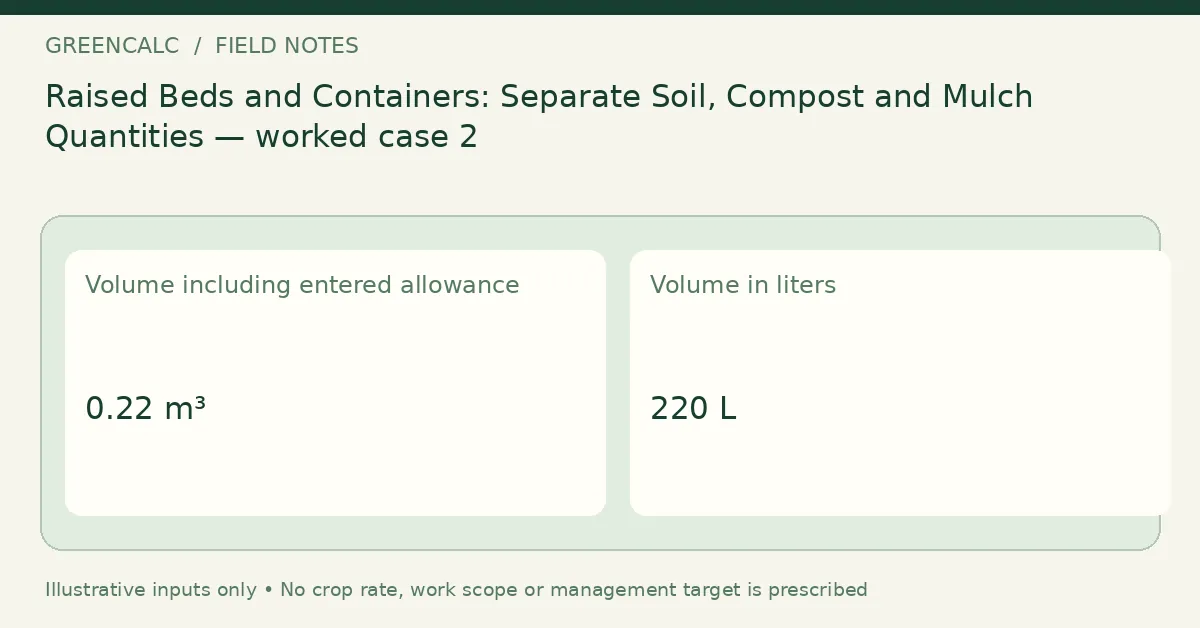
This case estimates a separately chosen surface layer, not the entire bed fill. Area is square meters and depth is centimeters, so the depth conversion is essential. The additional volume allowance is a user scenario and does not establish a recommended compost application.
Calculate this scenario with Compost Calculator using the following stated inputs.
| Input definition | Illustrative value |
|---|---|
| Actual application area (m²) | 4 |
| Chosen layer depth (cm) | 5 |
| Additional volume allowance (%) | 10 |
| Calculated quantity | Result | Unit |
|---|---|---|
| Volume including entered allowance | 0.22 | m³ |
| Volume in liters | 220 | L |
| Volume in cubic yards | 0.287749 | yd³ |
A soil test or suitable horticultural plan is a separate basis for deciding whether and how much amendment is appropriate. The calculator does not replace that decision. Keep the unadjusted layer quantity if you later compare the order with an observed result.
A delivery allowance should stay separate from geometric fill. Net Volume vs Delivered Volume: Allowance, Settlement and Supplier Rounding explains that purchasing distinction; Cubic Yard Calculator handles a general geometric volume when that is the missing step.
Worked case 3: Potting Soil Calculator
A tapered round pot is modeled as a frustum rather than as a cylinder with its largest diameter throughout. Use internal diameters at the relevant fill geometry and the usable fill height. The outer rim is not the same as the soil-containing cross-section.
Calculate this scenario with Potting Soil Calculator using the following stated inputs.
| Input definition | Illustrative value |
|---|---|
| Internal top diameter at fill line (cm) | 30 |
| Internal bottom diameter (cm) | 20 |
| Usable fill height (cm) | 25 |
| Number of matching pots | 4 |
| Labeled bag volume (L) | 40 |
| Calculated quantity | Result | Unit |
|---|---|---|
| Tapered-pot volume | 12.4355 | L per pot |
| Total geometric fill | 49.7419 | L |
| Whole bags at entered volume | 2 | bags |
The bag count is based on geometric fill and the entered bag volume. Existing roots, intended headspace and other occupied space are not silently deducted. Describe those adjustments separately instead of assuming that an apparent shortfall proves the formula or product label was wrong.
For wider site and growing context, consult Raised-bed design context. A geometric volume result alone does not establish a suitable bed design or soil mixture.
Worked case 4: Mulch Calculator
A larger surface layer makes the difference between centimeters and meters especially visible. Multiply the area by the depth expressed in meters, then apply the stated allowance. The result can be displayed in several volume units without changing the underlying quantity.
Calculate this scenario with Mulch Calculator using the following stated inputs.
| Input definition | Illustrative value |
|---|---|
| Actual application area (m²) | 50 |
| Chosen layer depth (cm) | 5 |
| Additional volume allowance (%) | 10 |
| Calculated quantity | Result | Unit |
|---|---|---|
| Volume including entered allowance | 2.75 | m³ |
| Volume in liters | 2750 | L |
| Volume in cubic yards | 3.59686 | yd³ |
An allowance is not a general rule for product settling or an instruction about mulch depth. The correct application choice depends on the site and material. Different suppliers can be compared only when the layer definition and included adjustments match.
Worked case 5: Pine Straw Calculator
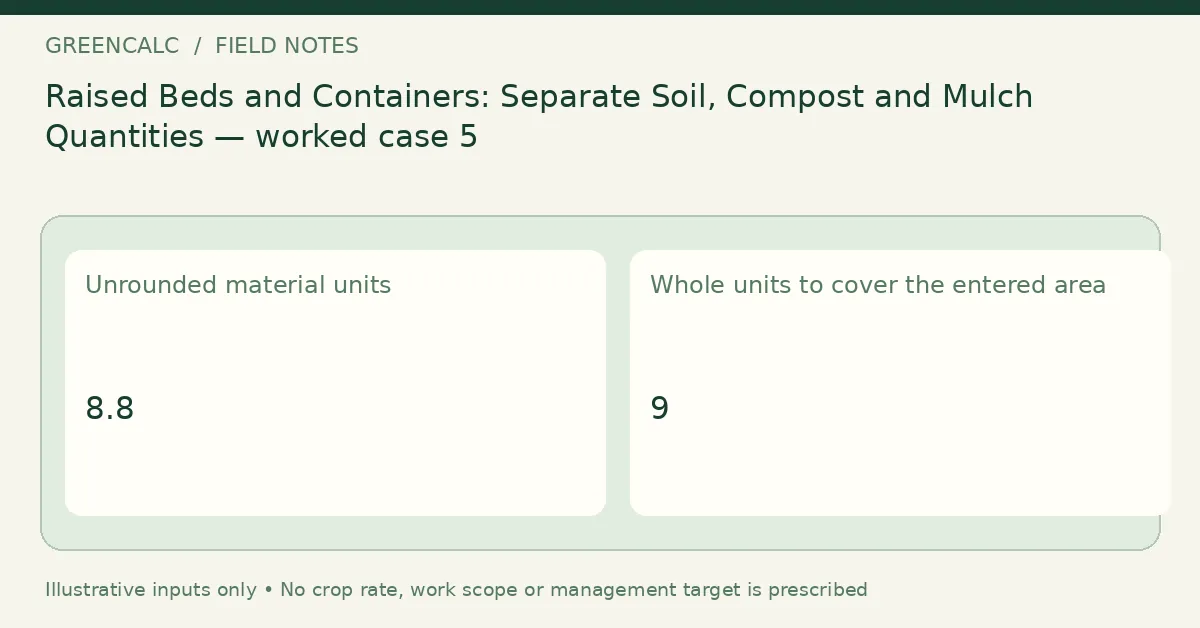
Here the purchase unit is a bale whose stated coverage comes from the supplier at an intended application depth. That is a different basis from assuming a universal cubic volume per bale. Use the actual product’s coverage information when forming the estimate.
Calculate this scenario with Pine Straw Calculator using the following stated inputs.
| Input definition | Illustrative value |
|---|---|
| Coverage area (m²) | 40 |
| Supplier coverage per bale at chosen depth (m²) | 5 |
| Allowance (%) | 10 |
| Calculated quantity | Result | Unit |
|---|---|---|
| Unrounded material units | 8.8 | |
| Whole units to cover the entered area | 9 |
Whole-bale rounding does not standardize bale size or application practice. A changed depth can invalidate an earlier coverage assumption. Keep the supplier, product and coverage basis with the order so that a future revision does not reuse a number without its context.
Worked case 6: Sod Calculator
A roll or slab is represented by its actual usable coverage, with excluded ground already removed from the area. The allowance can represent the chosen ordering scenario for cuts and losses. It should not be confused with the mathematical step of selecting a whole purchase count.
Calculate this scenario with Sod Calculator using the following stated inputs.
| Input definition | Illustrative value |
|---|---|
| Area to cover (m²) | 40 |
| Usable coverage per roll or slab (m²) | 1 |
| Cutting / ordering allowance (%) | 5 |
| Calculated quantity | Result | Unit |
|---|---|---|
| Unrounded material units | 42 | |
| Whole units to cover the entered area | 42 |
Site shape affects practical offcuts, while the unit-rounding rule only handles fractional units. Record the source of the allowance and do not add it again after a whole-unit result has already been calculated. This case does not assess whether the sod suits the site.
Avoid buying the same physical layer twice
The two top-up beds in the worked example have a combined footprint of four square meters and need twenty centimeters of additional geometric fill. Their additional space is therefore eight hundred liters. If a separately chosen five-centimeter layer occupies part of that same space, its unadjusted geometric volume is two hundred liters. It is part of the eight hundred-liter space, not automatically an additional space on top of it.
This is a geometry illustration, not a recommendation for a particular soil blend or compost depth. The correct material plan comes from an appropriate horticultural basis. Once that plan is established, distinguish the space occupied by each layer from the extra amount included in a delivery allowance. An allowance changes the procurement scenario; it does not create more empty space in the bed.
A reconciliation sheet can start with the empty or top-up volume, allocate that space to the intended layers, and only then apply any justified product-specific ordering adjustments. Keep a volume in one unit until the allocation is complete. Converting eight hundred liters into cubic meters or bags does not change the space being filled. Existing roots, slopes and settlement still need explicit treatment rather than a last-minute subtraction from an otherwise unexplained total.
Check the record before using it elsewhere
Use the following questions to audit this particular workflow. An unanswered question is an input or interpretation issue; it should not be hidden by rounding the output or choosing a result that resembles the expected answer.
- Are all bed dimensions internal usable measurements?
- Is the requested quantity a whole fill or a top-up?
- Have centimeters been converted before forming cubic meters?
- Does a tapered container need two diameters?
- Are roots and deliberate headspace accounted for explicitly?
- Does the supplier coverage match the intended layer?
- Is the allowance separate from whole-unit rounding?
- Would a mass estimate require a new density measurement?
Retain a revisable measurement sheet
Keep the original observations, the date and the input definitions alongside the calculated result. When a plan changes, record the new scenario separately instead of replacing the evidence behind an earlier estimate. A measured change, a revised assumption and a unit conversion are different events in the record.
Use Raised Bed Soil Calculator for the main quantity in this workflow. For other subjects, return to GreenCalc; for a related calculation, begin with its own units, basis and limitations rather than transferring a result by name alone.
By GreenCalc · Updated 2026-11-06