
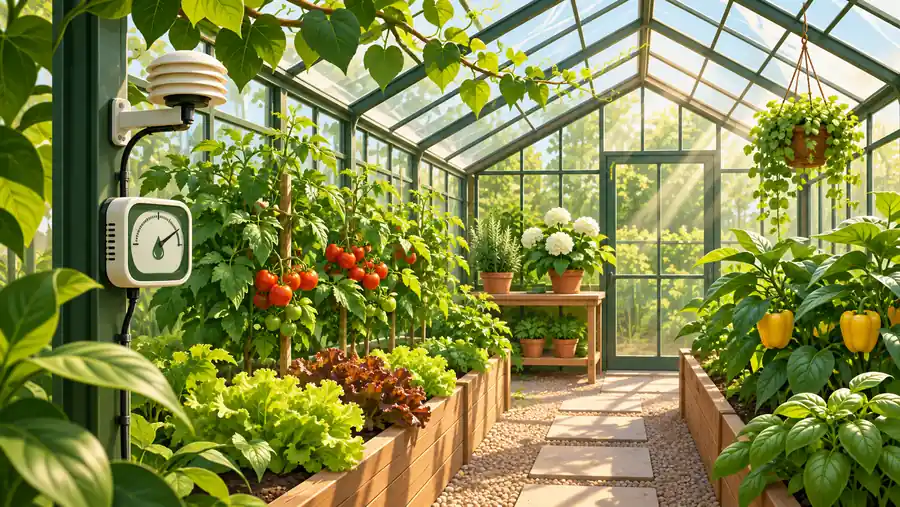
Original editorial illustration for Read Greenhouse Light, Humidity and CO₂ on Their Own Measurement Bases
Start with observations rather than one universal target
Light, humidity, temperature and carbon dioxide describe different aspects of an environment. A useful record keeps their locations, time bases and instrument definitions visible. Combining several calculator results does not establish a universally suitable growing condition. Crop, stage, equipment and local operating procedures remain separate decisions outside this arithmetic workflow.
Distinguish an instantaneous state from an accumulated amount
Relative humidity and an air temperature describe a state at a particular time. DLI accumulates photon flux over time. Degree-unit models accumulate a temperature-derived quantity using a selected convention. A single reading should not be promoted into a daily or seasonal record without an appropriate measurement or averaging basis.
Keep gas arithmetic separate from equipment and occupancy
An ideal gas balance does not model leakage, ventilation, plant uptake, control response or a workplace exposure. None of the examples below provides a release schedule or a safe-occupancy judgment. A numerical plant scenario cannot authorize gas handling; competent design, actual monitoring and applicable safety requirements are essential when equipment or people are involved.
Start in Biology calculators for the field and measurement tools. This workflow also distinguishes questions handled in Ecology calculators. Follow the quantity and its definition rather than assuming that a shared unit makes different models interchangeable.
Worked case 1: Daily Light Integral Calculator
This light example assumes that the entered photon flux is constant or is an appropriate time average for the stated period. The calculation converts micromoles and seconds into moles per day. It does not select a plant target or identify a suitable fixture.
Calculate this scenario with Daily Light Integral Calculator using the following stated inputs.
| Input definition | Illustrative value |
|---|---|
| Constant or appropriate time-average PPFD (µmol/m²/s) | 300 |
| Hours at that PPFD | 16 |
| Calculated quantity | Result | Unit |
|---|---|---|
| Daily light integral | 17.28 | mol/m²/day |
Keep the canopy location and the averaging method in the record. Changing the photoperiod without changing the photon rate is a different scenario from changing both. A neat daily total cannot reveal uneven light distribution across the growing area.
The DLI rate-to-integral explanation distinguishes instantaneous photon flux from an integrated daily amount. Keep the averaging assumption explicit when using the conversion.
Worked case 2: VPD Calculator (Vapor Pressure Deficit)
Air relative humidity and air temperature establish the actual vapor-pressure estimate for this simplified state. The entered leaf temperature supplies a different saturation reference for the leaf-to-air comparison. Equating the two temperatures silently removes that distinction.
Calculate this scenario with VPD Calculator (Vapor Pressure Deficit) using the following stated inputs.
| Input definition | Illustrative value |
|---|---|
| Measured air temperature (°C) | 25 |
| Measured or explicitly assumed leaf temperature (°C) | 23 |
| Air relative humidity (%) | 60 |
| Calculated quantity | Result | Unit |
|---|---|---|
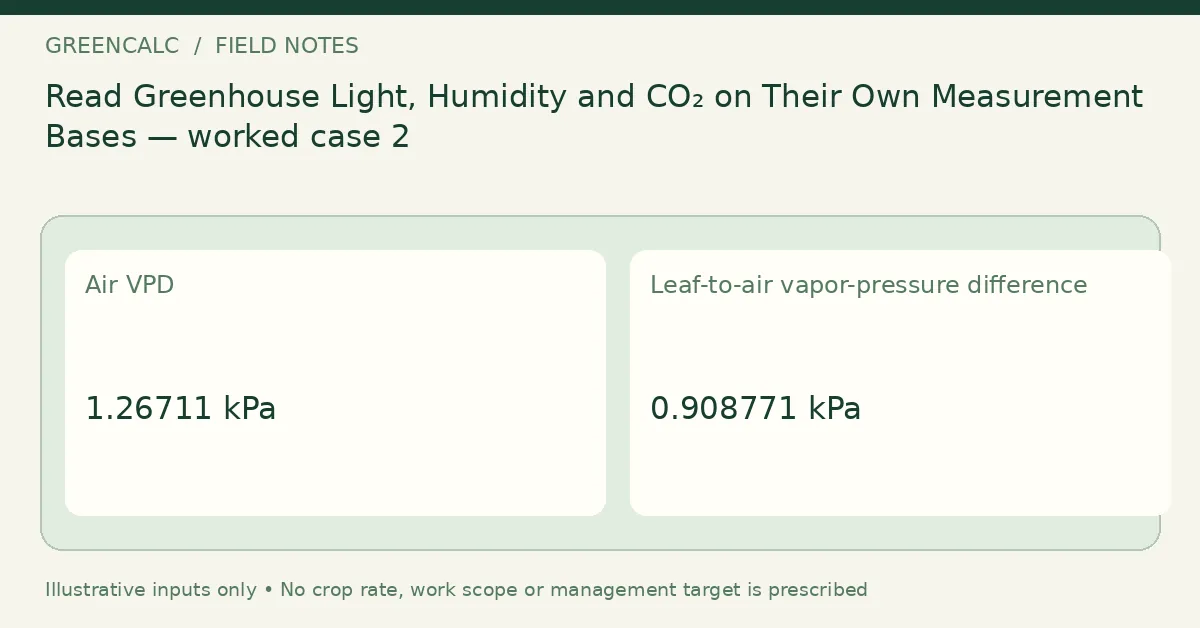
| Air VPD | 1.26711 | kPa |
| Leaf-to-air vapor-pressure difference | 0.908771 | kPa |
The two displayed results need not be equal. Neither number supplies a universal crop-management target, and a negative leaf-to-air difference is not clamped away. Use compatible observations from the relevant place and time before drawing any operational conclusion.
The Saturation vapor-pressure definitions sets out the saturation-pressure relationship used in this calculation. That relationship is separate from selecting a crop target.
Worked case 3: CO₂ Grow Room Calculator
The target in this example is only a hypothetical input for illustrating a pure-gas balance. The result is an equivalent gas volume at the modeled conditions, not a direction to release it. Real room behavior requires information that this closed idealization does not supply.
Calculate this scenario with CO₂ Grow Room Calculator using the following stated inputs.
| Input definition | Illustrative value |
|---|---|
| Room length (m) | 4 |
| Room width (m) | 3 |
| Room height (m) | 2.5 |
| Measured starting CO₂ (ppm) | 400 |
| Externally specified target CO₂ (ppm) | 1000 |
| Calculated quantity | Result | Unit |
|---|---|---|
| Room volume | 30 | m³ |
| Ideal added-gas equivalent | 18.018 | L at initial room conditions |
Do not divide this result by an arbitrary flow rate to produce a timer instruction or infer that the room is safe for people. The model does not assess exposure, equipment failure, gas accumulation or ventilation. Workplace and equipment assessment is a separate professional task.
Consult CO₂ occupational-safety information for occupational-safety context. The gas-balance example above is not an equipment setting or an assessment of permissible exposure.
Worked case 4: GDU Calculator — Growing Degree Units
A daily degree-unit value depends on the exact temperature-bounding convention as well as the base and cap. This tool bounds both temperatures before averaging. Record that method explicitly before adding the value to a running series.
Calculate this scenario with GDU Calculator — Growing Degree Units using the following stated inputs.
| Input definition | Illustrative value |
|---|---|
| Daily minimum air temperature (°C) | 12 |
| Daily maximum air temperature (°C) | 28 |
| Entered base temperature (°C) | 10 |
| Entered upper temperature cap (°C) | 30 |
| Calculated quantity | Result | Unit |
|---|---|---|
| Bounded-temperature degree units | 10 | °C·day |
A different agricultural model can give a different value without an arithmetic error. Do not join records from incompatible conventions and then treat the resulting total as a validated development prediction. The calculator does not choose a crop or a required thermal-time target.
Worked case 5: Water Potential Calculator
The solution example separates a theoretical osmotic component from entered pressure, matric and gravitational terms. The concentration is molar and the temperature is converted to Kelvin inside the equation. All components must share units and a defined reference.
Calculate this scenario with Water Potential Calculator using the following stated inputs.
| Input definition | Illustrative value |
|---|---|
| Pressure component (MPa) | 0 |
| Matric component (MPa; zero or negative) | 0 |
| Height relative to chosen datum (m) | 0 |
| Ideal solute concentration (mol/L) | 0.1 |
| van ’t Hoff factor for the model | 1 |
| Solution temperature (°C) | 25 |
| Calculated quantity | Result | Unit |
|---|---|---|
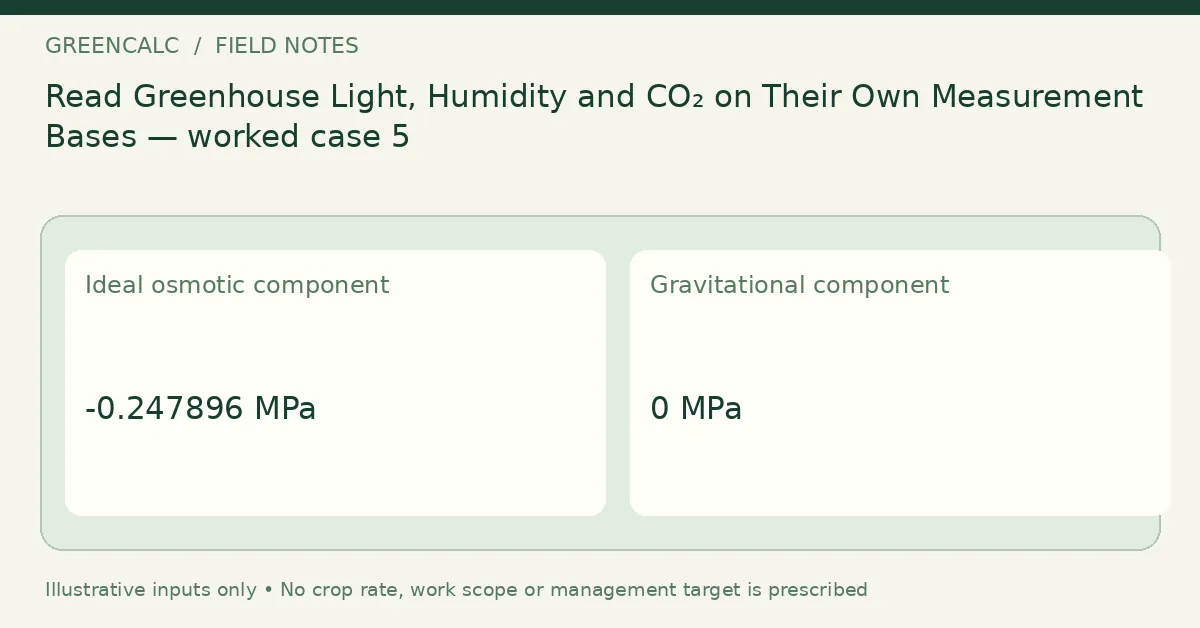
| Ideal osmotic component | -0.247896 | MPa |
| Gravitational component | 0 | MPa |
| Sum of entered / modeled components | -0.247896 | MPa |
An ideal solution term is not a measurement of soil or plant water status. The sum does not establish an irrigation need. Keep measured quantities and modeled quantities distinguishable, especially when a sensor observation is being compared with a hypothetical concentration scenario.
Worked case 6: Daily Light Integral Calculator
Changing only the duration creates a controlled comparison with the earlier light example. The photon rate is unchanged, so the daily amount changes in direct proportion to the stated hours. This is a mathematical sensitivity check, not a recommendation to shorten or lengthen a crop’s lighting period.
Calculate this scenario with Daily Light Integral Calculator using the following stated inputs.
| Input definition | Illustrative value |
|---|---|
| Constant or appropriate time-average PPFD (µmol/m²/s) | 300 |
| Hours at that PPFD | 12 |
| Calculated quantity | Result | Unit |
|---|---|---|
| Daily light integral | 12.96 | mol/m²/day |
The comparison is meaningful only under its constant-rate assumption. Outdoors, a midday reading does not remain constant for the whole day. An appropriate integral or time series is needed before this simple multiplication can represent the actual daily light received.
Keep environmental records on a common clock
A daily light total and an instantaneous humidity reading should not be described as observations of the same duration. The two light examples above deliberately hold photon rate constant and change the stated hours. The vapor-pressure example describes an air state and an entered leaf temperature. Even when these records come from one greenhouse, their time bases remain different.
Use a shared timestamp or clearly stated averaging interval where measurements are meant to be compared. Record sensor location, whether a value was measured or assumed, and whether an instrument already reports an integrated quantity. If a daily integral is entered as though it were an instantaneous rate, multiplying it by hours again does not create a better daily estimate; it changes the quantity incorrectly.
A correlated change in two recorded values also does not by itself establish a cause of a crop response. The simplified calculators do not model all environmental interactions or the plant. In particular, an ideal carbon-dioxide balance is not a feedback controller or a worker-exposure assessment. Keep its hypothetical inputs out of operational release instructions. Any actual gas-handling or occupied-space decision needs the appropriate competent design, monitoring and safety procedures outside this educational workflow.
Check the record before using it elsewhere
Use the following questions to audit this particular workflow. An unanswered question is an input or interpretation issue; it should not be hidden by rounding the output or choosing a result that resembles the expected answer.
- Do observations refer to the same place and time?
- Is a light value instantaneous, average or already integrated?
- Does the stated temperature convention match the accumulated record?
- Is leaf temperature measured or explicitly assumed?
- Are gas-model outputs kept out of release instructions?
- Has occupancy safety been assessed outside the plant calculator?
- Do water-potential components share a datum and unit?
- Which measurements would need repeating after a setup change?
Retain a revisable measurement sheet
Keep the original observations, the date and the input definitions alongside the calculated result. When a plan changes, record the new scenario separately instead of replacing the evidence behind an earlier estimate. A measured change, a revised assumption and a unit conversion are different events in the record.
Use Daily Light Integral Calculator for the main quantity in this workflow. For other subjects, return to GreenCalc; for a related calculation, begin with its own units, basis and limitations rather than transferring a result by name alone.
By GreenCalc · Updated 2026-11-06