
Original editorial illustration for Plan a Garden from Usable Area to Seeds and an Observed Stand
Measure what can actually be planted
A site boundary is a useful starting measurement, but it is not automatically the area available to plants. Paths, structures, fixed equipment and access strips occupy space. Record those exclusions before estimating planting positions. Otherwise the seed order and the expected stand may both inherit an area that was never available. A simple sketch with dimensions makes a later revision easier to understand than a single unexplained square-meter number.
Keep intentions and observations in different columns
A spacing plan describes intended positions. A seed estimate adds assumptions about germination and establishment. A field count describes what was actually observed at a particular time. These quantities belong to a connected workflow, but they are not interchangeable. Keep dates and stage definitions with the numbers so that a change between them can be investigated rather than hidden inside a new percentage.
Choose models before choosing convenient answers
The scenarios below use illustrative values to show the arithmetic. They do not prescribe a crop spacing, a seeding rate or an expected harvest. A useful planning sheet keeps the chosen input and the reason for choosing it beside the result. If a seed packet or a locally appropriate growing plan provides a different value, calculate that scenario explicitly instead of retaining a default because it gives a tidy whole number.
Start in Biology calculators for the field and measurement tools. This workflow also distinguishes questions handled in Construction calculators. Follow the quantity and its definition rather than assuming that a shared unit makes different models interchangeable.
Worked case 1: Plant Spacing Calculator
Start with a rectangular-spacing scenario for a genuinely plantable area. The row distance and within-row distance differ, so using one distance twice would change the intended pattern. This case describes positions per area; it does not draw an exact physical grid along every boundary.
Calculate this scenario with Plant Spacing Calculator using the following stated inputs.
| Input definition | Illustrative value |
|---|---|
| Plantable area excluding paths (m²) | 100 |
| Between-row spacing (m) | 0.5 |
| Within-row spacing (m) | 0.4 |
| Calculated quantity | Result | Unit |
|---|---|---|
| Area-based planting estimate | 500 | positions |
| Theoretical density | 5 | positions/m² |
The whole-number estimate is a density calculation. Check a layout separately where narrow edges, curves or access requirements matter. A plantable-area change and a spacing change are different revisions and should remain separate in the record.
If the plot dimensions were recorded in feet, use Square Footage Calculator for the area calculation before converting units and deducting paths. The planting calculation still needs the net usable area, not the whole property boundary.
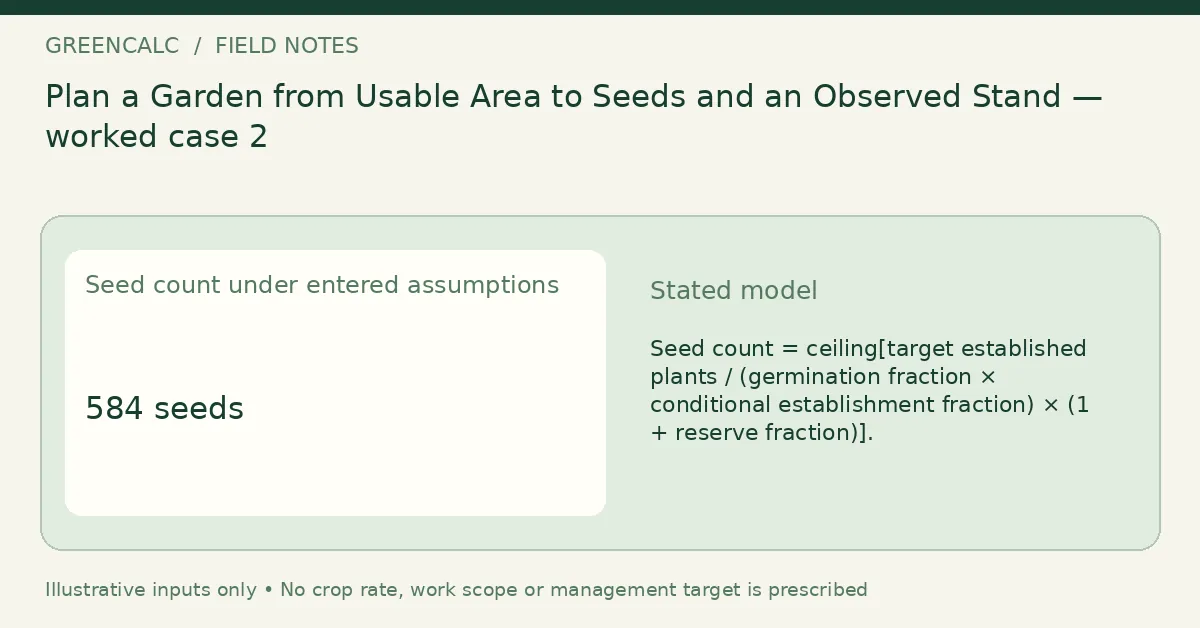
Worked case 2: Vegetable Seed Calculator
Use a target established stand rather than assuming that each purchased seed becomes one established plant. Germination and later establishment are separate stages in this example. The ordering reserve is applied after those conditional assumptions, rather than being presented as another biological survival rate.
Calculate this scenario with Vegetable Seed Calculator using the following stated inputs.
| Input definition | Illustrative value |
|---|---|
| Target established plants | 400 |
| Germination assumption (%) | 90 |
| Conditional establishment assumption after germination (%) | 80 |
| Extra ordering reserve (%) | 5 |
| Calculated quantity | Result | Unit |
|---|---|---|
| Seed count under entered assumptions | 584 | seeds |
The result is a planning quantity, not a stand guarantee. If an input rate already incorporates the same loss or reserve, applying it twice overstates the adjustment. Preserve the meaning of each percentage when comparing suppliers or changing the plan.
The Seed-packet and propagation context discusses seed-starting context and product instructions. Use a locally appropriate plan rather than treating the illustrative percentages above as universal.
Worked case 3: Plant Population Calculator
After establishment, a count from a represented sample area answers a different question from the original spacing plan. Keep the sampling location and date, and avoid choosing a convenient patch simply because it resembles the expected stand. The extrapolated field count inherits the sample’s representativeness.
Calculate this scenario with Plant Population Calculator using the following stated inputs.
| Input definition | Illustrative value |
|---|---|
| Established plants counted in sample | 32 |
| Represented sample area (m²) | 10 |
| Field area being extrapolated (m²) | 100 |
| Calculated quantity | Result | Unit |
|---|---|---|
| Observed sample density | 3.2 | plants/m² |
| Extrapolated field population | 320 | plants |
| Equivalent density per hectare | 32000 | plants/ha |
A mismatch with the plan is not automatically a calculator error. It can reflect sampling, establishment, losses or different area definitions. The simple density expansion does not produce a confidence interval or identify which explanation is correct.
Worked case 4: Bulb Spacing Calculator
A smaller bed illustrates why area units still matter when the plants are closely spaced. The entered distances are meters, so a value written in centimeters must be converted before it is placed in these fields. The geometry is independent of the crop name.
Calculate this scenario with Bulb Spacing Calculator using the following stated inputs.
| Input definition | Illustrative value |
|---|---|
| Plantable area excluding paths (m²) | 12 |
| Between-row spacing (m) | 0.1 |
| Within-row spacing (m) | 0.1 |
| Calculated quantity | Result | Unit |
|---|---|---|
| Area-based planting estimate | 1200 | positions |
| Theoretical density | 100 | positions/m² |
Do not read the chosen distances as a recommendation for bulbs in general. Plant size and the intended display or management method belong to an appropriate plan. The calculator only converts that plan into an area-based position estimate.
Worked case 5: Acres Per Hour Calculator
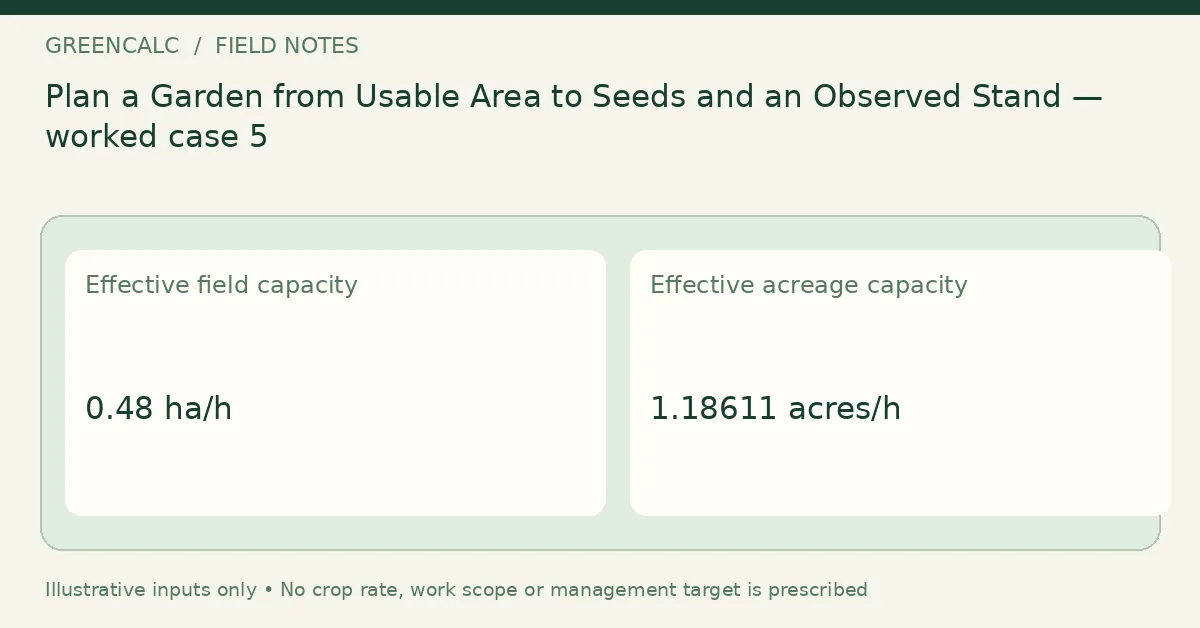
A planting or maintenance task also needs a work-time basis. Effective width and a realistic operating scenario determine theoretical area covered, while efficiency accounts for declared time losses. The same machine can therefore have different effective capacities under different site conditions.
Calculate this scenario with Acres Per Hour Calculator using the following stated inputs.
| Input definition | Illustrative value |
|---|---|
| Effective working width (m) | 2 |
| Assumed operating speed (km/h) | 4 |
| Field efficiency (%) | 60 |
| Calculated quantity | Result | Unit |
|---|---|---|
| Effective field capacity | 0.48 | ha/h |
| Effective acreage capacity | 1.18611 | acres/h |
This result is not a safe-speed instruction. If you use an observed work rate that already includes turning and stoppages, avoid subtracting the same losses again when building a schedule. A field-capacity estimate and a plant-count estimate solve different parts of the workflow.
For the meaning of effective work rate, see Field-capacity definitions. Its machinery context should be retained when applying the width, speed and efficiency definitions.
Worked case 6: Vegetable Yield Calculator
At harvest, record the sample area and the harvest period represented by its mass. A selected full basket is not automatically a representative area sample. The marketable percentage is a second scenario input, rather than a property that the extrapolation can discover from mass alone.
Calculate this scenario with Vegetable Yield Calculator using the following stated inputs.
| Input definition | Illustrative value |
|---|---|
| Represented harvested sample area (m²) | 4 |
| Harvest mass from that sample and stated period (kg) | 8 |
| Crop area extrapolated (m²) | 100 |
| Assumed marketable fraction (%) | 80 |
| Calculated quantity | Result | Unit |
|---|---|---|
| Observed harvest density | 2 | kg/m² |
| Extrapolated total mass | 200 | kg |
| Mass after entered marketable share | 160 | kg |
Keep total harvest and marketable harvest as separate records. A change in grading or usable-share assumptions should not be described as a measured increase in crop production. This estimate does not forecast a future season or determine product quality.
Keep a plan, an order and an observation as three records
A spacing estimate of five hundred positions does not require you to choose five hundred as the target established stand. The target may come from a different documented plan. In the worked example, four hundred established plants is an input, while the purchased-seed estimate adjusts that target using the two stated stage probabilities and an ordering reserve. Labeling all three numbers simply as plants hides why they differ.
The observed stand example then estimates three hundred twenty plants over its represented field area. That is an observation-based expansion, not proof that a particular number of seeds failed. The planted number, actual areas, dates and sampling method would need to be established before making such a comparison. Neither the seed equation nor the sample expansion identifies a biological cause.
A practical record can keep separate columns for planned positions, target established plants, ordered seeds, actual planted seeds and later observations. Add the date and area definition to each column. When something changes, preserve the original entry and write the new scenario beside it. This makes it possible to investigate whether the difference came from a revised goal, a measurement, a unit change or an actual change in the field. It also avoids turning a successful unit check into an unsupported claim about crop performance.
Check the record before using it elsewhere
Use the following questions to audit this particular workflow. An unanswered question is an input or interpretation issue; it should not be hidden by rounding the output or choosing a result that resembles the expected answer.
- Which measured area excludes paths and fixed obstructions?
- Do row and within-row distances use the same length unit?
- Does establishment mean survival conditional on germination?
- Has an ordering reserve already been included elsewhere?
- What locations and date does the stand sample represent?
- Does harvest mass cover one picking or a complete period?
- Are management scenarios distinct from observations?
- Which input would be measured again before committing an order?
Retain a revisable measurement sheet
Keep the original observations, the date and the input definitions alongside the calculated result. When a plan changes, record the new scenario separately instead of replacing the evidence behind an earlier estimate. A measured change, a revised assumption and a unit conversion are different events in the record.
Use Plant Spacing Calculator for the main quantity in this workflow. For other subjects, return to GreenCalc; for a related calculation, begin with its own units, basis and limitations rather than transferring a result by name alone.
By GreenCalc · Updated 2026-11-06